Flutter dependency versioning blockade?

Flutter is dynamic environment and those that live on ‘beta’ or ‘dev’ channels got latest features but also if the project depends on some plugins or packages those might not be ready for the latest version (yet).

I had that experience recently so I try to describe how I solved that little build blocker.

Here comes a tip – update the package/library by yourself.
How to do it?

  1. Clone the original repository of package
  2. Create branch – for example ‘rc_#.#.#’ (next version of “fixed” package)
  3. Update your project dependencies to point to git repository
    dependency in your project’s pubspec.yaml
    flutter_html_view:
    git:
    url: "git://github.com/magillus/FlutterHtmlView"
    ref: "version_update"
  4. Update all dependencies of that package that are required on your project, and push to your git remote
  5. run `flutter packages upgrade`
  6. Test your project build and resolve version issues on your git dependency (always push latest to your remote)
    note: You may need to clear your local pub cache if updates does not make it

If all works fine, do not forget to create PR to original repository of package.


Lifecycle aware Rx.Observable.

With introduction of new Architecture Components by Google Android team, we can have Lifecycle aware components that notify of ‘watched’ lifecycle change – for example Activity.ON_CREATE.

LiveData is life-cycle aware component and very simple use. With this new data holder class we can subscribe for some data changes and unsubscribe (clean up) when the ‘observed’ lifecycle is closing.
Those components allows to write subscriptions to the data inside onCreate or onResume methods only, ‘clean up’ is done automatically on respective event.

RxJava world

Unfortunately RxJava was left alone and we still need to dispose the subscriptions in onPause or onDestroy methods.

I thought about this while riding home from work and listening Fragmented Podcast about RxJava and magic word compose pointed me to below solution.

I wrote an ObservableTransformer that is argument for compose(...) method used in Observable manipulation.

LifecycleObservableTransformer – gist

Main focus of this LifecycleObservableTransformer is to track lifecycle of the component (LifecycleActivity, LifecycleFragment or any other Lifecycle component). When at the time of subscription tracked Lifecycle was at INITIALIZED state then the transformer would dispose the subscription when Lifecycle would receive ON_DESTROY event. (Thanks Ryan for hint on that)

Observable’s subscription will work just like LifeData do.

Observable.interval(1, TimeUnit.SECONDS)
        .compose(LifecycleObservableTransformer(lifecycle))
        .observeOn(AndroidSchedulers.mainThread())
        .subscribe { labelTextView.setText("%d second".format(it)) }

The LifecycleObservableTransformer will track multiple subscriptions at stream and based on each subscription’s Lifecycle state it will dispose those subscriptions at given time.

List of state of lifecycle that LifecycleObservableTransformer supports and the “back” event when the subscription will be disposed.

switch (state.ordinal()) {
 case 1: //Lifecycle.State.INITIALIZED
 return Lifecycle.Event.ON_DESTROY;
 case 2: //Lifecycle.State.CREATED
 return Lifecycle.Event.ON_STOP;
 case 3: //Lifecycle.State.STARTED
 return Lifecycle.Event.ON_PAUSE;
 default:
 return null;
}

This should easy out the use of LifecycleActivity/LifecycleFragment and help RxJava subscriptions to be disposed.

Let me know how that fits into your usages of Lifecycle components with RxJava

RxJava 2.0 – broke disposable chain.

While working with RxJava 2.0 and doing some updates from RxJava 1.x I noticed that dispose() method isn’t called on my ObservableOnSubscribe<T> classes.
Basically a version of RxBroadcastRecever was not un-registering the broadcast causing the broadcast callback called when already subscription was disposed. (look at older version at line, where this bug was happening).
I noticed that while creating some new RxService* wrapper (future blog entry) that the Context.unbindService() was not called.

Main reason for this was that I was using:
Observable.create(...) – which is not implementing Disposable interface. That combined with CompositeDisposable and its dispose() method implementation which “drills” down into each Disposable type of  Observable at upstream and call dispose() method, However ObservableCreate is not disposable and will not call dispose() method on ObservableOnSubscribe.

Work around this issue was kind of simple with call of doOnDispose(Action action) on created Observable and doing the dispose by ourself, like this (assuming using lambdas):

ObservableOnSubscribe observableOnSubscribe = new MyObservableOnSubscribe();
return Observable.create(observableOnSubscribe).doOnDispose(observableOnSubscribe::dispose);

Maybe I could add  Observable.createDisposable(ObservableOnSubscribe observableOnSubscribe) method to RxJava 2.x that would wrap that small functionality?

public abstract class ObservableDisposable<T> extends Observable<T> implements Disposable {
    public static <T> Observable<T> createDisposable(ObservableOnSubscribe<T> observableOnSubscribe) {
        Observable<T> observable = Observable.create(observableOnSubscribe);
        if (observableOnSubscribe instanceof Disposable) {
            Disposable disposable = (Disposable) observableOnSubscribe;
            observable = observable.doOnDispose(disposable::dispose);
        }
        return observable;
    }
}

Time for some discussion, issue on RxJava2.0 git and pull request.

Max Falcon-8 keyboard hacking

Something different then Android this time.

I got MaxFalcon-8 keyboard to use a special keyboard for debugging in Android Studio. Using AS default key combinations to run/debug also step through, step into and step out of methods might be hard to hit and not comfortable. (Specially when I do use ErgoDox keyboard at first place – function keys are hidden inside other layers)

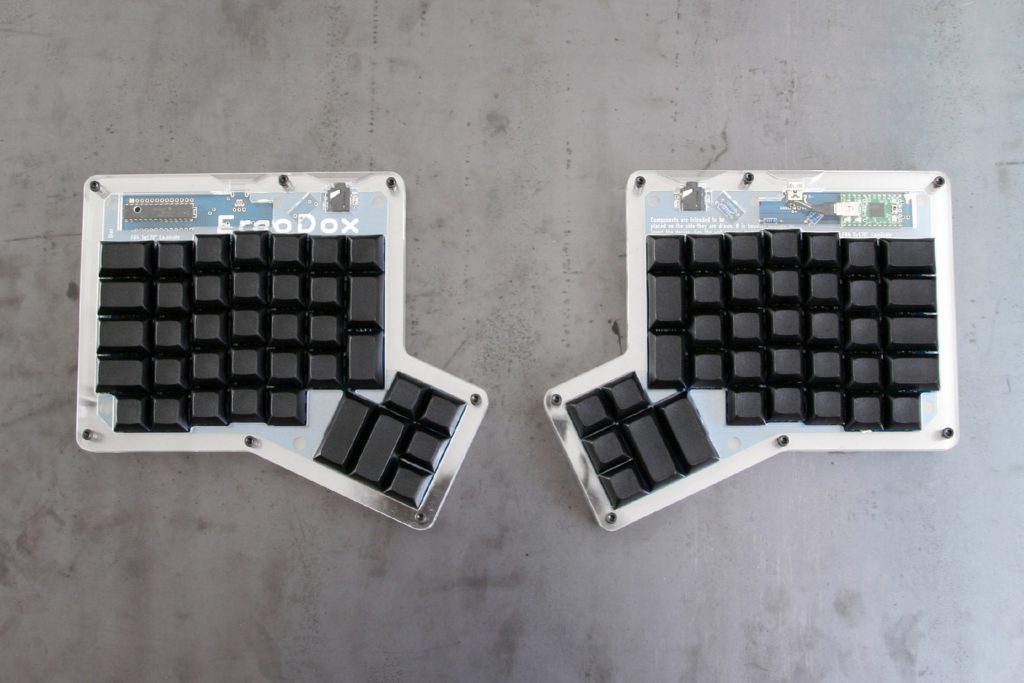
Ergodox keyboard

I thought that having external keyboard with programmed keys to run only specific commands will be beneficial. So I noticed Massdrop group buy and got one of Max Falcon-8 keyboards.

I received my keyboard few weeks ago and I noticed that I can only program keys with-in Windows environment, which is good for me I mostly use Windows PC at home. However at work (my main purpose of the keyboard) I only have access to Mac PCs. If I want to change a key commands or extend some macro – there is no way, just bring keyboard back to home reprogram and get it back to work.

I looked into how the keyboard program mode works and what I noticed is external drive with single “firmware.bin” file.
Yay there is hope to edit the 32kB binary file and program the keyboard.

Quick look with Hex editor into the file I noticed that there are chunks of code which looks like key codes tables. 800 byte sized per key and matching the view I see from Max Falcon-8 programming app.

First I needed to set keyboard to have under each key the “Prog-#” macro, this setting changed 8 bytes inside the file (probably setting single stroke to specified macro). After that changes in 800 byte blocks were related to each of the “Prog-#” macros.

After checking sample keystrokes in programmed mode I noticed that the key codes are standard HID keyboard byte codes.

Also while checking sample keystrokes for each of the long presses keys and their combinations with hex codes:

  • LCtr = 0x01
  • LShi = 0x02
  • LAlt = 0x03
  • LWin = 0x04
  • RCtr = 0x05
  • RShi = 0x06
  • RAlt = 0x07
  • RWin = 0x08
  • RWin+RSHi = 0x09
  • RWin+RCtr = 0x0A
  • RWin+RAlt = 0x0B
  • RWin+RCtr+RShi = 0x0C
  • RCtr+RAlt = 0x0D
  • RCtr+RShi = 0x0E
  • RAlt+RShi = 0x0F
  • RAlt+RCtr+Rshi = 0x10

Afer that I was able to program the keyboard with simple HexEditor and got my Android Studio debugging keys ready.

falcon-8

So my settings is for Top row:

  1. Make build
  2. Run Project
  3. Debug Project
  4. Run Unit tests (not working yet)

Bottom row – debugging:

  1. Continue to next breakpoint
  2. Step through next line
  3. Step into method call
  4. Step out of method call

Can’t wait for debugging session right now 😉

Multiprocess Cursor – CursorWindow incompatibility with MergeCursor

While working with ContentProviders I used a lot of Cursors for passing a data from them. In my use case I didn’t use database Cursors but an instances of cursors created based on data we have stored as POJOs.

To share the data between processes and applications best way in android is using content providers.
There are few Cursor classes that help with creation of the content provider interface:

  • MatrixCursor – Allows to create a cursor with set number of Columns and add rows to them with the same sized set of values.
    It is very convenient to create a Cursor representation of some array of data or even single item.
    MatrixCursor cursor = new MatrixCursor(new String[]{"columnA", "columnB"});
    cursor.addRow(new Object[]{"value_A", "value_B"});
  • MergeCursor – As name suggest it merges multiply cursors. It can gather many cursors with different schemas (column names and count) and iterate through each row of each cursor. Best way to detect if we switched to new cursor is to check getColumns() count or names of columns. However if you use the MergeCursor for complex POJOs “serialization” you may already know the number of rows and structure of the MergeCursor’s inner cursors.
    MatrixCursor cursorA = .....(code to fill cursor).....
    MatrixCursor cursorB = .....(code to fill cursor).....
    MergeCursor cursor = new MergeCursor(new Cursor[]{cursorA, cursorB});

To make easy serialization/deserialization of POJO to/from Cursor I add pair of methods to the POJO data classes – example:

  • toCursor() – converts current class to the cursor – it creates new MatrixCursor or MergeCursor (in case if POJO got array of other types)
  • static fromCursor(Cursor cursor) – converts cursor to the POJO class instance, with same order as the cursor was prepared the single class of POJO controls its serialization to/from Cursor.

Everything works great as expected. I can pass the POJO as Cursor in ContentProvider and have it ready to consume in Activity/Service/Fragment/ etc.

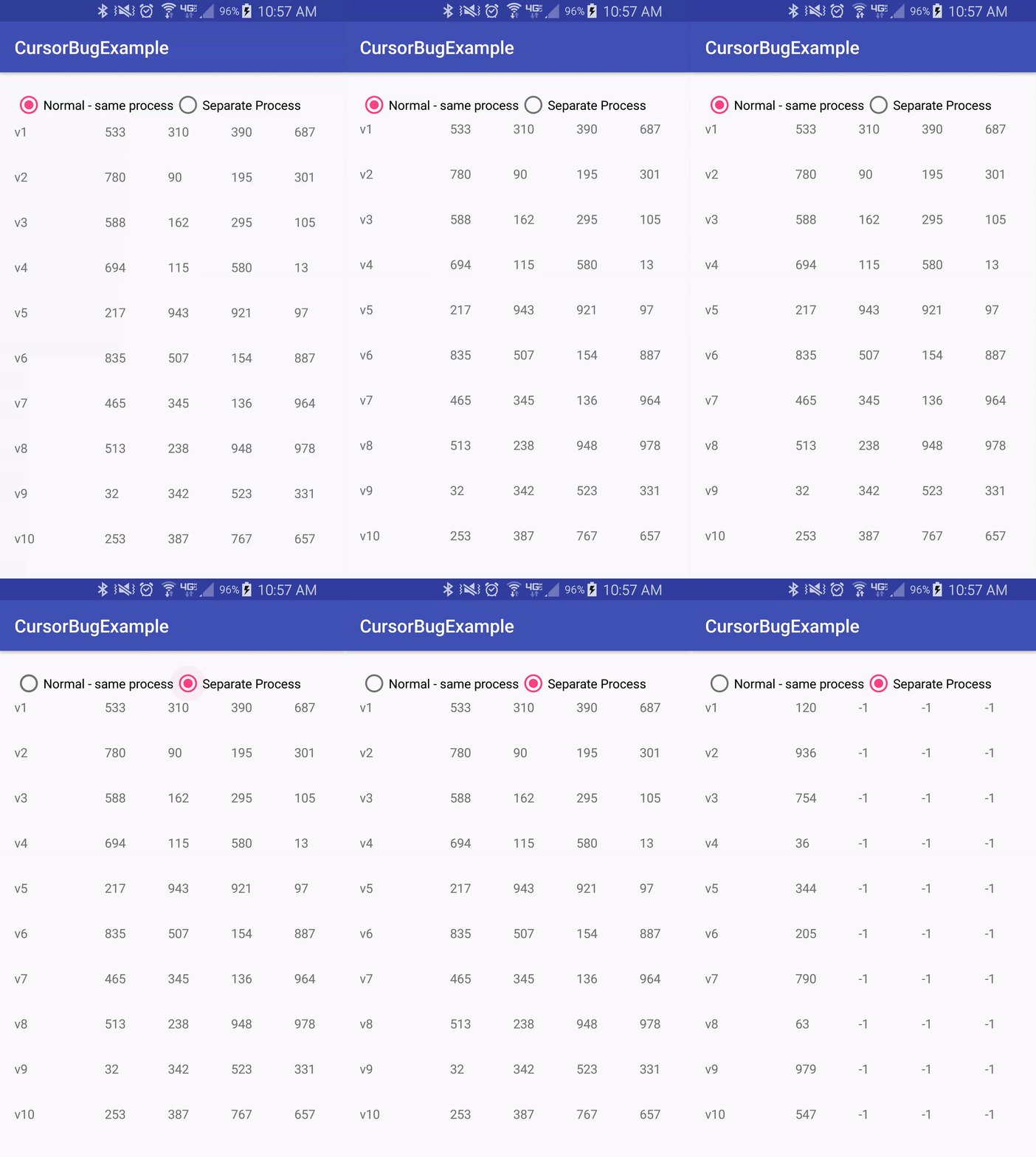
My main reason to write this post is the little issue I found out when we put “process” tag into Content Provider manifest XML. When we ask in manifest to run ContentProvider in separate process – it will cut extra columns worth of data inside the MergeCursor, basing only on first cursor row’s columns for the rest of data.

You can see this inside the example application I posted on GITHUB
Below are screenshots of the application, which generates some Data object and displays it in RecyclerView

Example app demo:
cursor-process

Notice “-1” value is coming from column size check of DataItem class.

When digging through this “bug” I found out that there CursorWindow is used for passing the data between processes.I checked v24 sources for AbstractCursor – which one’s implementation of method `public CursorWindow getWindow()`, basically new CursorWindow is created and data is copied to it with use of DatabaseUtil class method:

/**
 * Fills the specified cursor window by iterating over the contents of the cursor.
 * The window is filled until the cursor is exhausted or the window runs out
 * of space.
 *
 * The original position of the cursor is left unchanged by this operation.
 *
 * @param cursor The cursor that contains the data to put in the window.
 * @param position The start position for filling the window.
 * @param window The window to fill.
 * @hide
 */
public static void cursorFillWindow(final Cursor cursor,
        int position, final CursorWindow window)

That method doesn’t take into account the change of columns per each next ‘row’ of CursorWindow (which in MergeCursor may be next Cursor that was merged) in size of cursors columns while iterating through them.

What to do now? Write a overload getWindow() method for MergeCursor that will do it as expected or fix the DatabaseUtils cursorFillWIndow(...) method? I think better is the overload getWindow() method and use custom MergeCursor.

Maybe use of MergeCursor should be better documented and mark that Cursors of different column count should not be supported in separate Process ContentProviders?

I didn’t found any bug about this issue. Time to file a bug with Android Framework.I didn’t found any bug about this issue..
Use RxJava with Content Observers

Content Providers have a great feature about change notification for a given Uri. Simply register an ContentObserver with ContentResolver and wait for the callbacks happening onChange method, when ever there is notification of change happening.  That sounds so much like RxJava to me.

However to work with RxJava we need to create special Subscriber that will handle the registration and un-registration of the ContentObserver.
I was toying around with Observable.create( SubscribeOn ) option to create the Observable and came up with short solution that I have in gist on github, it works great for my use-case.

When ever there is new subscription the ContentObserverSubscriber class will register locally held content observer and on any change happening for the given Uri ContentObserverSubscriber will emit an item. To get an item and keeping ContentObserverSubscriber generic the fetchItem(Uri itemUri) method must be overridden.
When un-subscription happens the ContentObserver will be unregistered and class ready for GC pickup.

Optional feature is to have first item to emit or not (by default it will emit first element by calling the fetchItem method.


Could View’s onSaveInstanceState used for InjectFactoryPool?

While trying to wrap a head around InjectFactoryPool concept I spoke with @rharter and explained it to him and also my dislike for how TextViews (and other Views) are created and styled – by design.
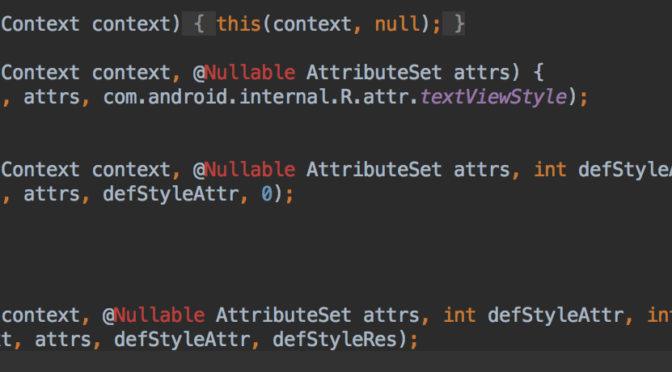
In short TextViews receive all details through attributes on constructor and most of settings can’t be changed from outside, because of private fields visibility, etc. That leaves only a new class of TextView that would support such interface.
Ryan mentioned that onSaveInstanceState and onRestoreInstanceState could be used to inject TextView state into View that resides in pool.
If such restore instance state would work in this case still we need to:
  • create onRestoreInstanceState Bundle ourself – that is not good way to do it since Bundle is very close with specific View class and may change across versions of OS.
  • or… create a View for item and call onSaveInstanceState
Creating view to call onSaveInstanceState for later faster restoration may not work as intended, could use AsyncLayoutInflater for this, but is it really a gain that we look for?
Another open question is will onSaveInstanceState save all state about the TextView (styles, colors, padding, formatting, etc.)?
Time will tell – when I get some to do some tests 😉

Layout inflater pitfall.

Some time ago I was furious for GC collection in the application I was working on. I hated it happening and wanted to eliminate it when ever it could be done.

Most GC happens when new object is created and free memory is getting low, so natural way is look at code and find any “new” keywords usage and try to remove them.
One of the major steps to remove number of GC calls by OS is to use Dependency Injection in application. This allows to control initialization of key components only on given scope level and keep referenced of created (possible only once) objects.

However second major over usage of “new” keyword is using LayoutInflator for settings up the UI. It is core functionality in android view hierarchy creation and used everywhere.

After digging through a lot of source code for Android Framework in many versions I found out that LayoutInflator creates Views that overload TextView (for example that View) when reading the layout resource’s tags. LayoutInflator reads attributes and prepares the view’s properties and details.
Worst part of it is every time user inflates layout – all Views inside the layout’s XML are created  with “new” keyword. Android OS checks memory allocation and calls GC if needed, in addition OS closes some background apps.

What if we do not need to create “new” View on inflate? What if we could have View Pool that we can fetch Views from and update styles (based on xml attributes), unused Views could be put back into Pool for another layout inflation to pick up and adapt for inflation attributes?

I started working on small project as part of “testing idea” to use LayoutInflation Pool based – (https://github.com/magillus/InjectFactoryPool)

However main brick-wall I encounter is the way Android Framework defines and uses attributes inside the views – for example TextView, a lot of parsing of attributes and setting styles are done inside constructor, and many attributes can’t be updated after its creation.
My first step would be to create a StandardTextView (or other name) that will support new InjectFactoryPool way of updating styles and attributes without constructor.
That would require to create separate Views types from View->TextView->Button….. and more. Starting with most used Views that will support the InjectFactoryPool.

ToBeContinued….

Wizard type of UI element with Dynamo library

A project I work on needs small state management for its dialog/wizard part, some time ago I was reading about Dynamo https://github.com/doridori/Dynamo library and it was great use case for such lightweight state machine.

I created separate example application to showcase the dynamo library which also gave me few tricks that can be used with it.
I focused only on dynamo library and I didn’t use popular dependency injection or RxJava (or RxAndroid 1.0) usage, which are great tools and would shine with dynamo library – if I get more time I might do example with those libraries.

Main idea of example app is to find way to separate single View with Dynamo that manage state and do state transitions using UI that is defined as single XML (for simple cases) with optional separate Views per state.

Main features I wanted to create in the app was:

  • Lightweight wizard/state driven like view that can be placed in any android architecture, that would work on its own during given wizard task.
  • Use of ViewPager for UI switching and encapsulating all UI into one layout for all steps of wizard.
  • Reuse of some common UI views per step (processing data with progress bar UI), it could customize the message per each step.
  • Auto binding and unbinding of View’s event’s for input data or button triggers custom test approach based on reflection.

All business logic for steps of wizard are defined in LoginWizardDynamo (LoginWizardDynamo) class, which in this case have many inner classes – one per each step.
Each step defines which UI to show with method “getViewIndex()” that returns index of View in ViewPager to show while that step is active. Default view is progress bar for loading or between steps transitions.
Other Steps extra features is bind and unbind for listeners per view, based on type of listener passed to bind method. That is something experimental and will test it little more – also it is based on reflection so might not be that fast and fully useful.

Custom Font on Android Applications

In Android system there is only Roboto font available with many styles (thin, bold, italic, condensed and many combined options). Availability of other font families them depends on OS version and ROM installed.
Main way to insert custom font family into a TextView is using below snippet:

TextView textView = (TextView) findViewById(R.id.text_view);
Typeface typeFace = Typeface.createFromAsset(getAssets(), "fonts/custom_font.ttf");
textView.setTypeface(typeFace);

Adding those line of codes every time is not efficient either with speed and reuse of code, so people come up with different solutions:
  1. Utility helper class.
    Usually singleton class that provides methods to change a TextView’s font face with some font identifier (enum/constant string) and id of the element or the TextView instance itself. Additionally it can store map of Typefaces to not load them every time when it is requested. Example FontHelper in below app’s sources.
  2. Create CustomTextView that extends TextView that takes care of loading font face in constructors.
    I found 2 ways of extended class usage.

    • Create a class for a specific font.
      For example TimesTextView will load “Times” font family for this TextView only.
      Simple and straight forward, however it creates many similar classes that difference is only different asset file used to load typeface. If application doesn’t need many different fonts, it can be useful. Here is example snippet with use of FontHelper.
    • Create a CustomTextView that handles assignment of fonts typefaces based on attributes defined, it requires attrs.xml to add attributes for usage in MyTextView class and lookup font enum.
  3. Additional attribute handling on XML layouts inside original TextView. It uses nonstandard attribute (XSD schema validation fails in Android Studio) but allows to use standard TextView class with special attribute. Library https://github.com/chrisjenx/Calligraphy uses this approach, its integration requires some code lines inside Application and Activity.
I created simple application https://bitbucket.org/magillus/customfonttester that runs few tests using mentioned above methods.
It creates N-number of TextView elements and assigns font typefaces to them and measures time of that process for different methods.
Creation of TextView without custom typeface is base result and other tested approaches times should be relative to it to get test results.
Note Edge tests Average of 10 test with Activity including 100 TextViews Average of 100 tests with Activity of 20 TextViews
ms % loss ms % loss Total %
Standard TextView (no font) 0.6879 100.00% 0.6588 100.00% 100.00%
TextView with typeface set after its creation 1.634 237.53% 1.507 228.75% 233.14%
TextView with typeface set after creation (with FontHelper) 0.7751 112.68% 0.6782 102.94% 107.81%
Caligraphy library 0.8387 121.92% 0.7221 109.61% 115.77%
MyTextView class with fontFamily attribute that uses FontHelper class 0.8631 125.47% 0.7638 115.94% 120.70%
CustomFontTextView that uses single font and FontHelper class to set view 0.7182 104.40% 0.6565 99.65% 102.03%
Screen shot of results:
Font TextView speed results
Conclusions:
It seems like usage flexibility of method is more CPU heavy on device. Best solution is to not use custom fonts and stick with Roboto font that is on device. That is not always case and some designs will require to use custom fonts. Second best solution is to use some form of FontHelper class that will load typefaces only once and use that inside custom font TextView class. That is not really flexible to do changes across application, what comes in handy is Caligraphy library or MyTextView type of class, that reads attribute and sets correct font. Caligraphy uses default TextView and could be faster to work on current code base, however it have some overhead with Application and Activity overloads methods. While MyTextView custom class is internal and after using it across application it is much easier to change font types if such request is given.